> For the complete documentation index, see [llms.txt](https://docs.pwr.lol/llms.txt). Markdown versions of documentation pages are available by appending `.md` to page URLs; this page is available as [Markdown](https://docs.pwr.lol/dashboard/roleplay-system-settings.md).
# Roleplay-System Settings
Das Roleplay-System kann unter anderem dazu genuzt werden um seinen Server in eine neues Roleplay-Abenteuer zu verwandeln.
**Dieses Modul befindet sich in der Open-Alpha. Bei Fehler / Problemen unter** [**discord.pwr.lol**](https://discord.pwr.lol/) **ein Ticket erstellen. Infos zu Updates gibt es auch am PowerBot Discord**
Im Dashboard kann eingestellt werden, ob ein Antrag an das Bürgeramt gestellt werden muss. Diese können diese dann Ablehnen oder Annehmen. Das Bürgeramt kann durch die festgelegte Rolle bestimmt werden. Wer bei uns einen Antrag stellen darf, ist z.B. Verified. Sobald der Channel festgelegt wurde kann der Admin den Command: `/roleplay panel_erstellen` ausführen. Zu den Commands gibt es [>>>hier<<<](/commands/roleplay-commands/ausweis.md) mehr.
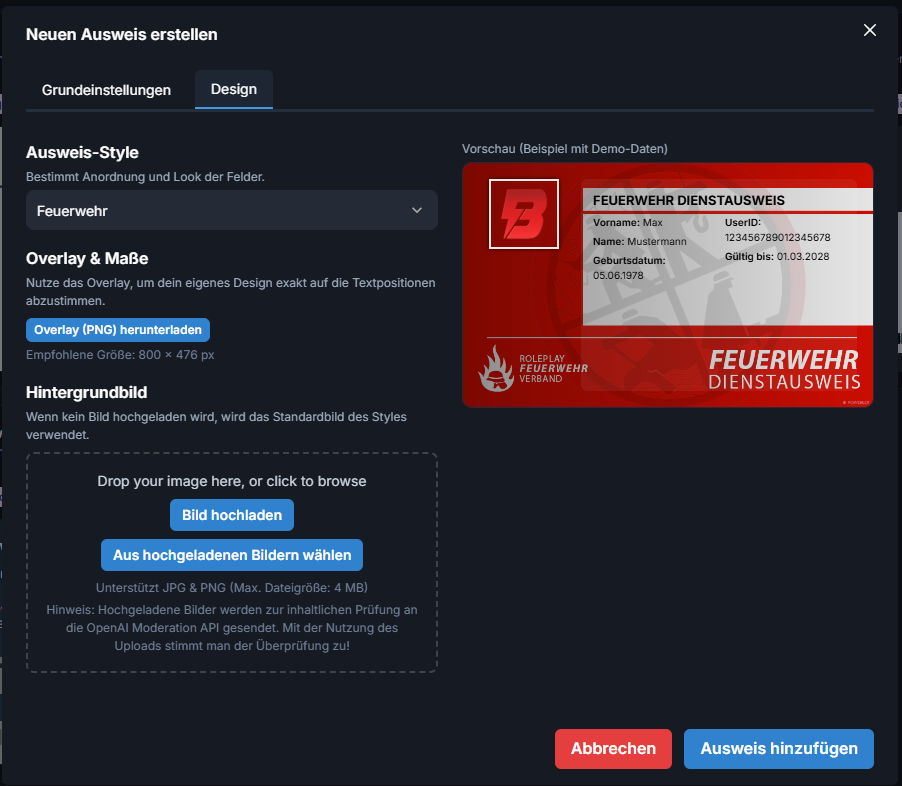
Bei den Custom Ausweisen kann man zwischen vier Typen auswählen. Diese sind Feuerwehr, Polizei, Rettungsdienst und Fraktion.
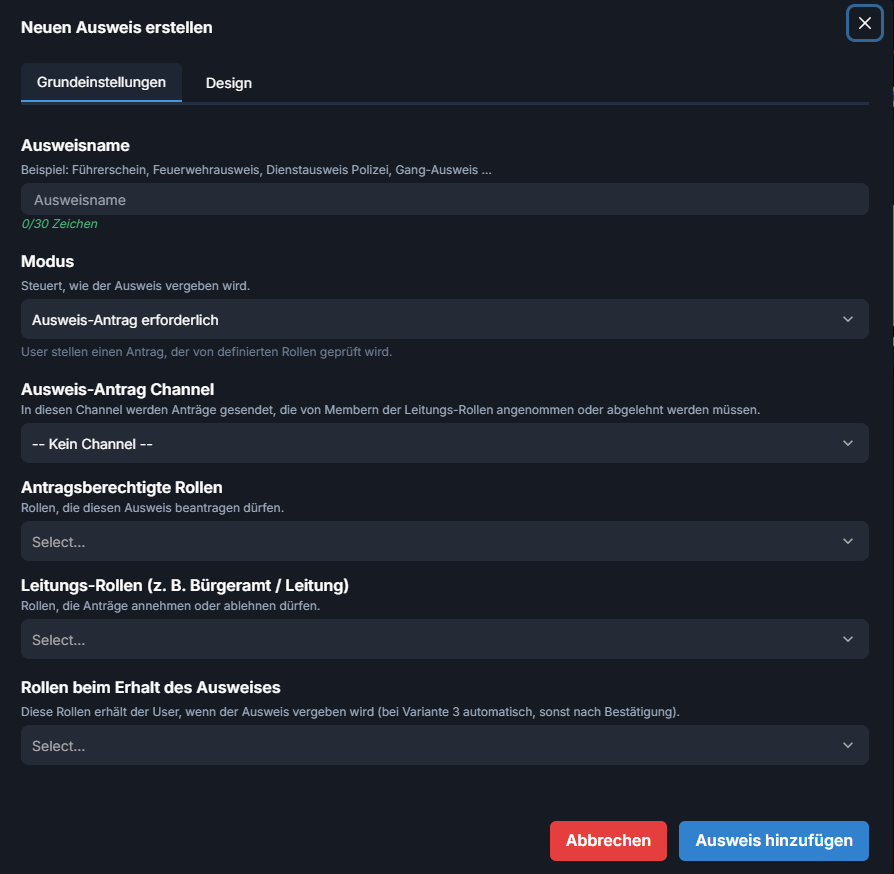
Beim Tab "Grundeinstellungen" kann man den Namen, den Modus, den Antrag Channel, die Berechtigten Rollen, die Leitungs-Rolle und die Erhalte-Rolle einstellen.
Beim Tab "Design" kann man den Style (Feuerwehr, Polizei, Rettungsdienst oder Fraktion) und das Hintergrundbild auswählen. Bei dem Punkt "Overlay & Maße" kann man sich ein Bild downloaden wo die Stellen wo der Text drin ist, markiert sind, damit man sein Design auf die Textstellen anpassen kann.